

One app for your
KNX smart home.
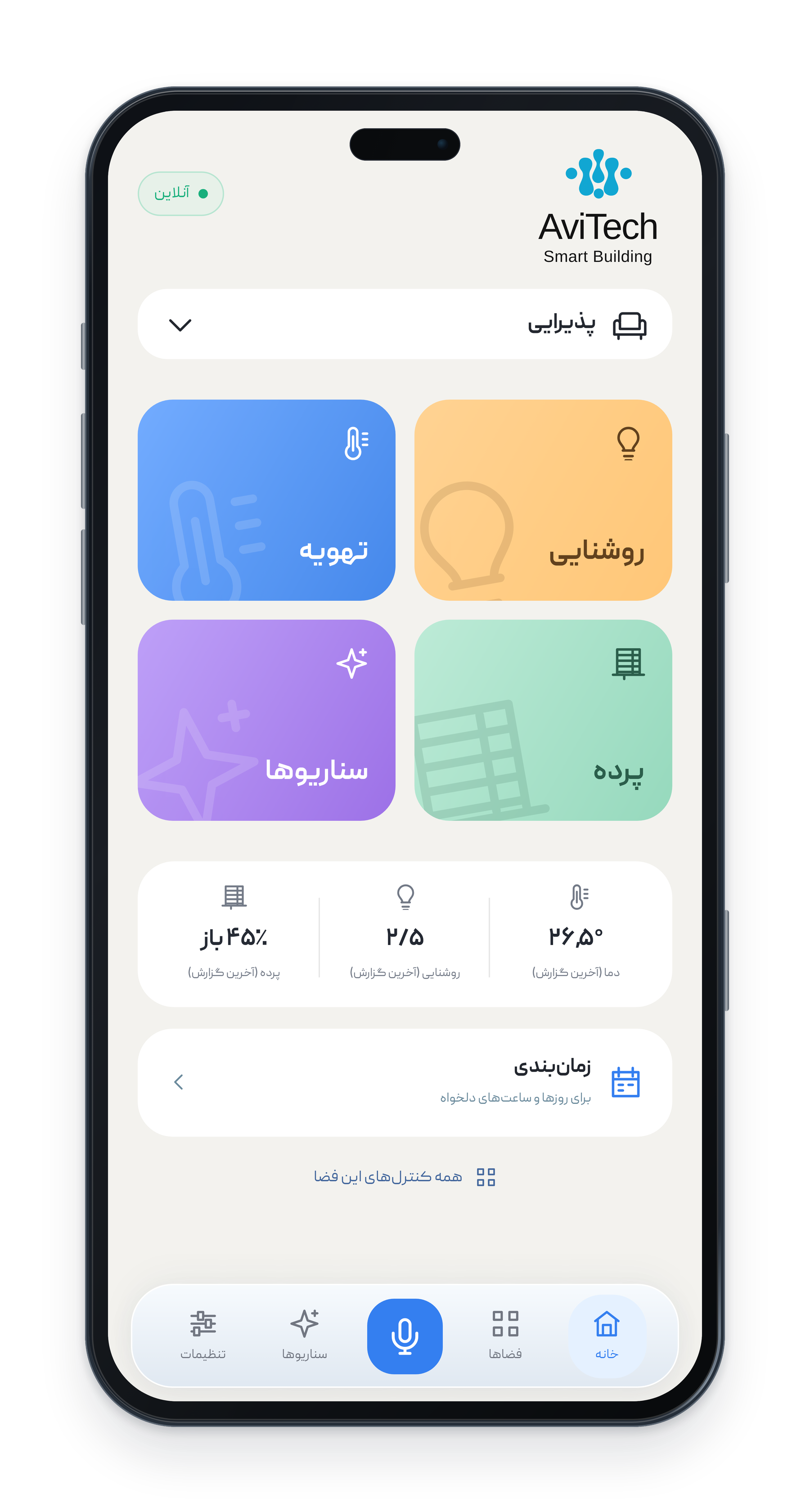
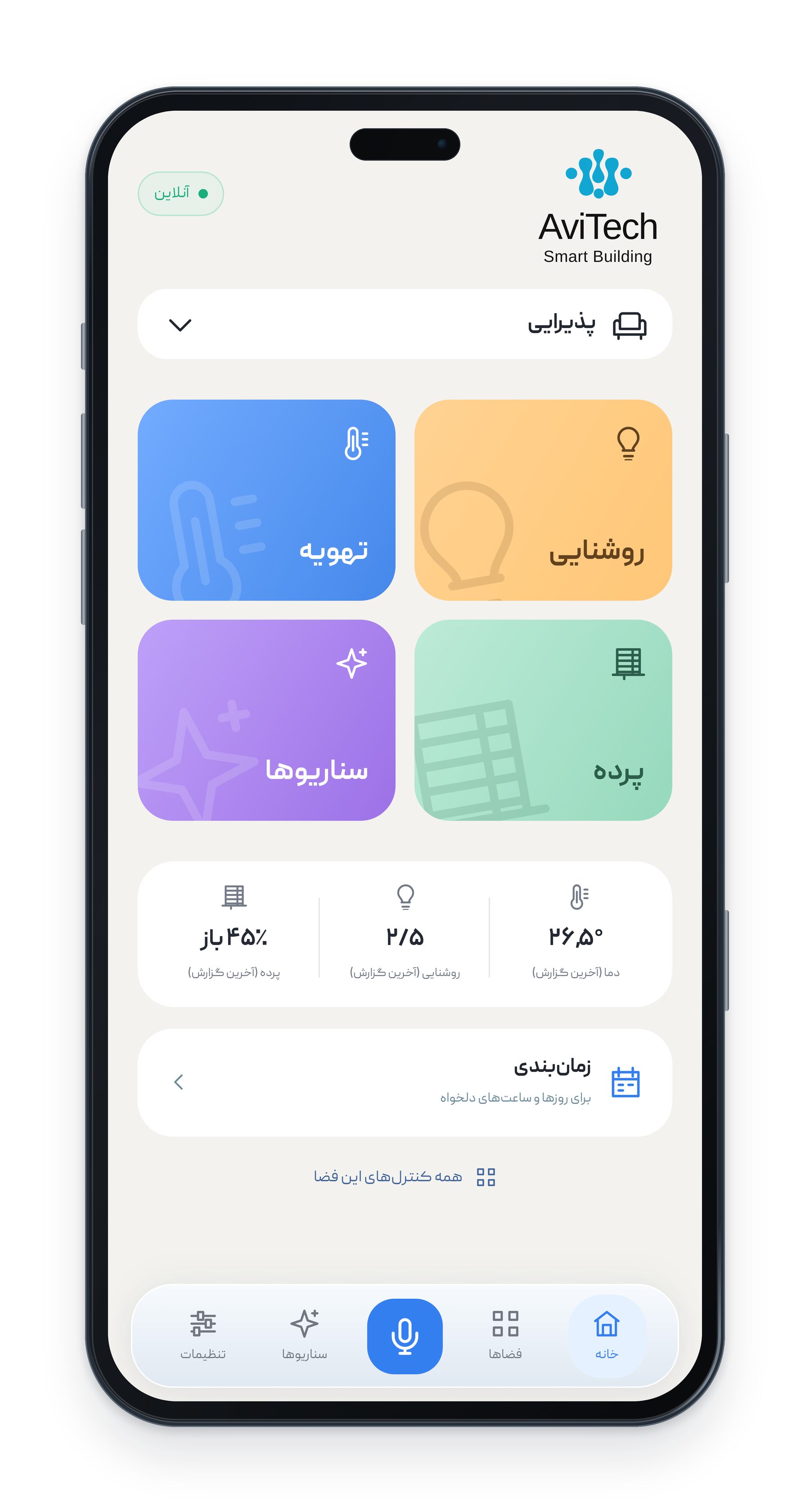
AviTech App brings compatible KNX devices together with a Persian interface, AI-assisted Persian voice commands and smart scheduling.


English product guide · App interface and voice commands are in Persian.
AviTech App
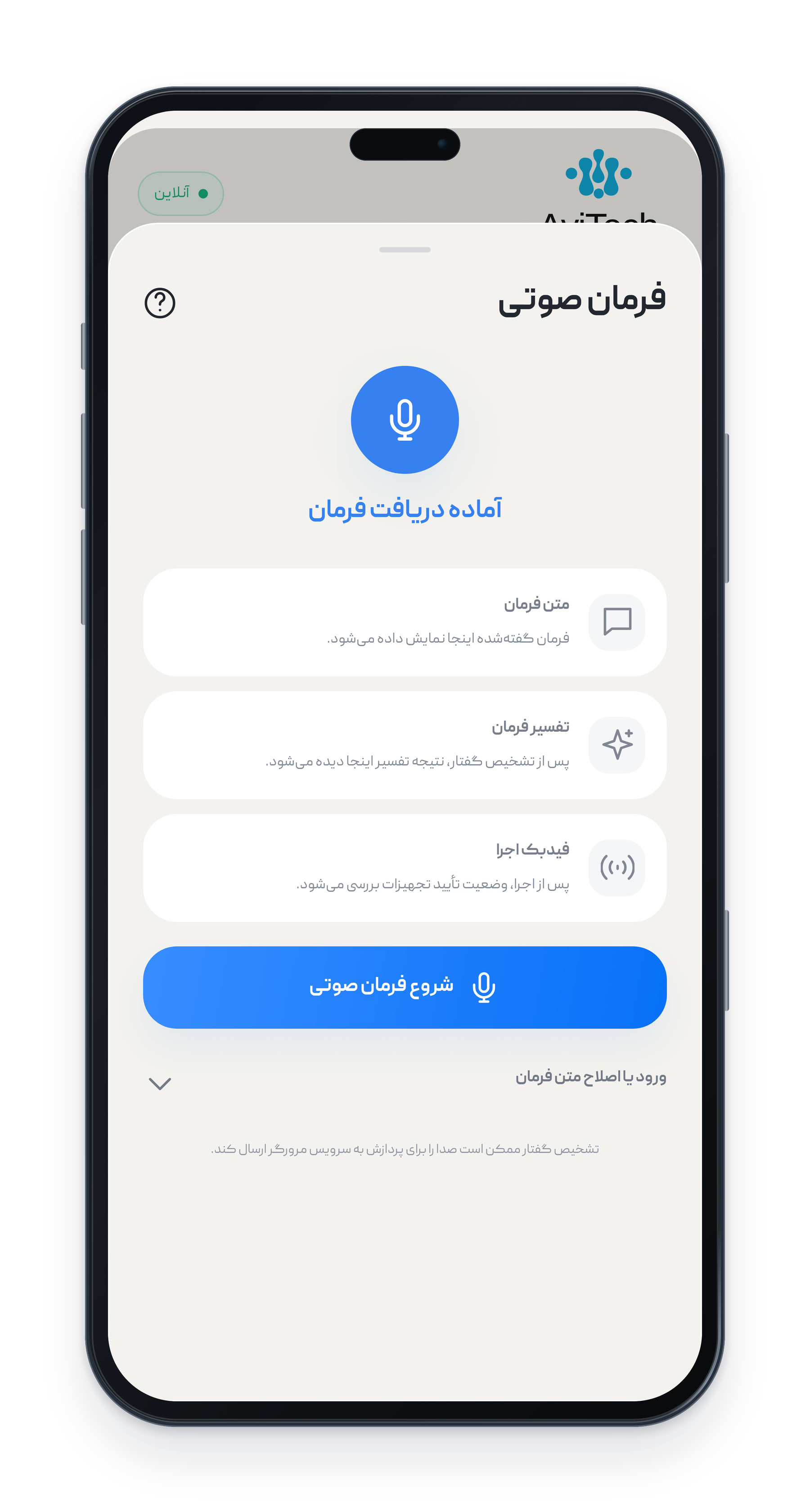
Combine commands, continue a conversation, ask for system status and schedule with an advanced Jalali calendar. Voice commands and the app interface are in Persian.
AviTech App
The first Iranian appBuilt on the standard 
Control compatible project devices across brands: lighting, climate and blinds.
Bring them together with Persian voice control, AI, scenes and Jalali scheduling.
- Smart lightingFive lighting types; individual control
- Fan coils & climateTemperature, mode and fan speed
- Blinds & shadesOpen, close, stop and position
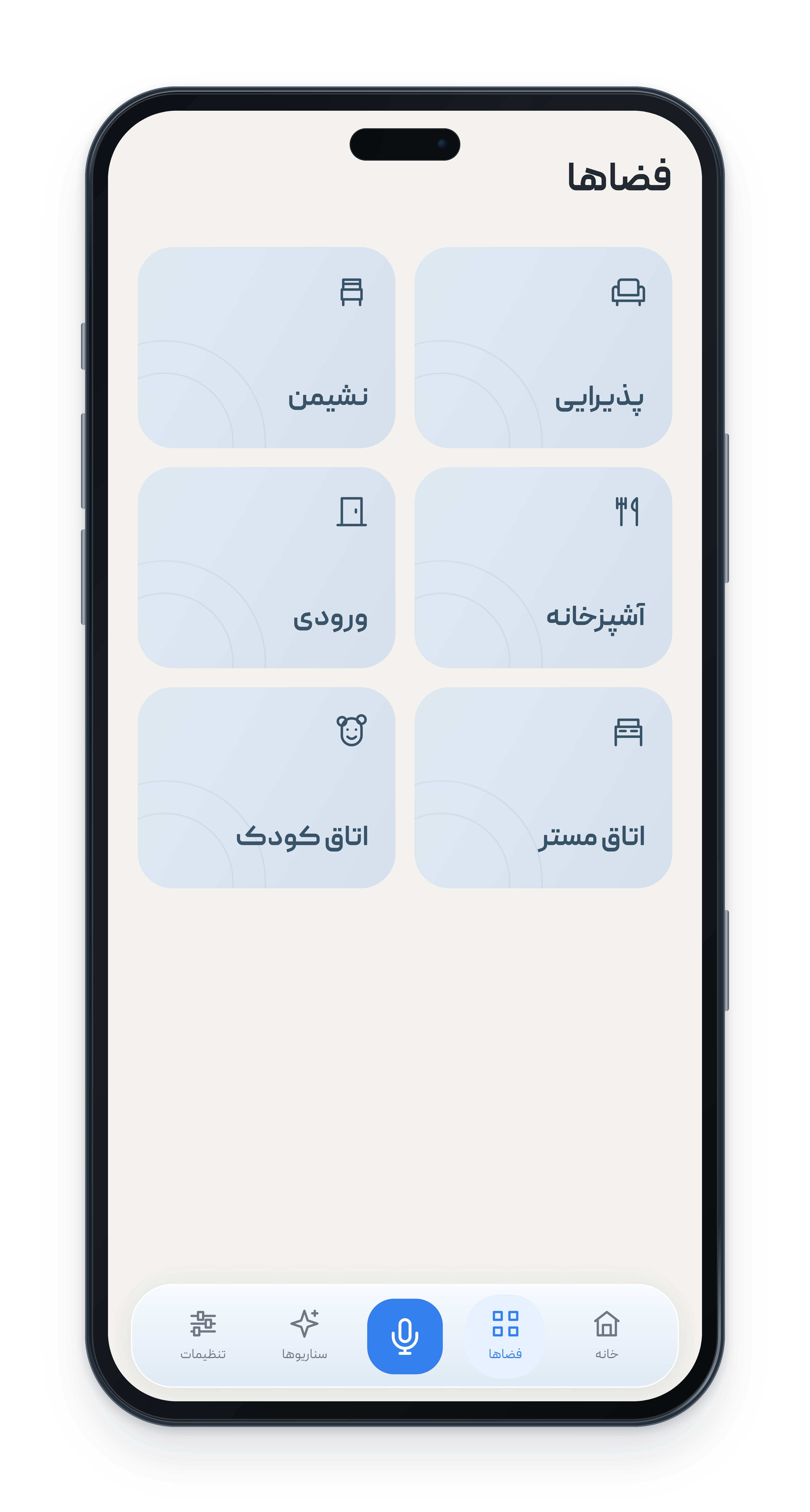
- Six spaces at homeFrom reception to the children's room
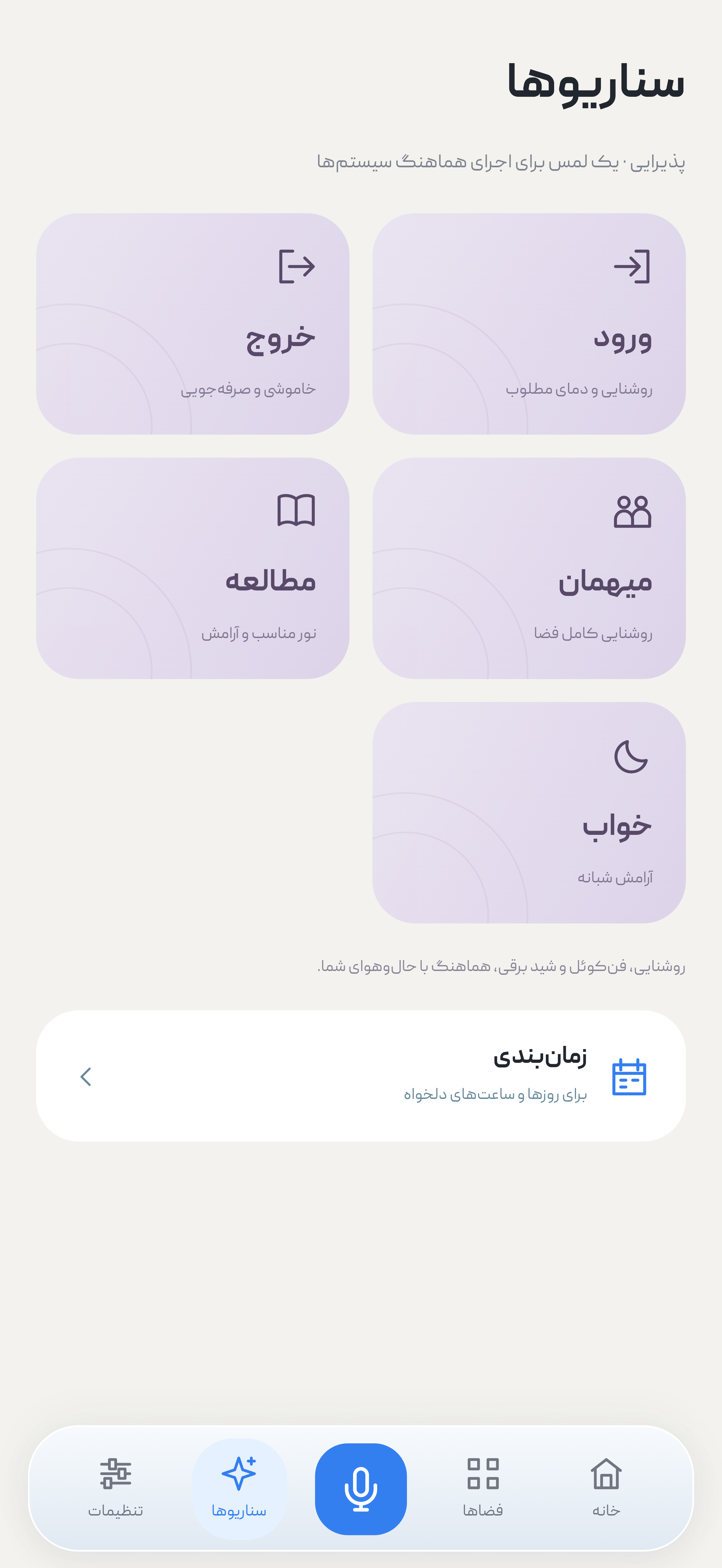
- Everyday scenesArrival, departure, guests, reading and sleep
- System statusReported status beside each control
- Command historyReview execution times and results
 One shared standard.
Your choice of brands.
- Persian voice controlSpeak in everyday language
- AI-assisted controlUnderstand intent and interpret requests
- Compound & interactive commandsMultiple requests; one conversation
- Advanced Jalali calendarDates, ranges, repeats and exceptions
- Prayer times & daylightSchedule by city, sunrise and sunset
- Spoken schedulingDraft a schedule with a Persian request
- Web app & multiple projectsPhone, tablet and computer
Discover what AviTech App can do.
Your home, in one place.
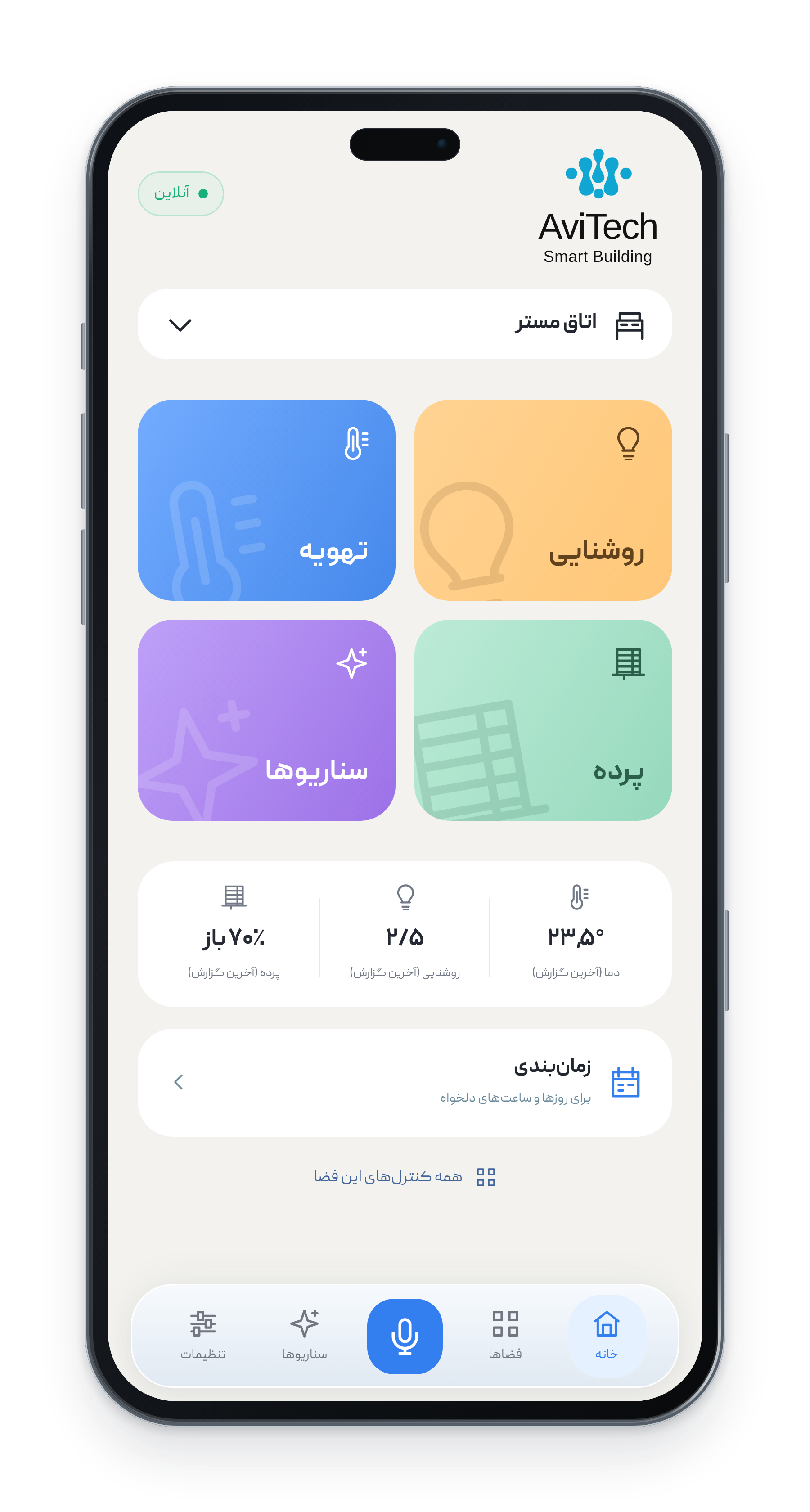
Control lighting, fan coils and blinds in Persian, room by room.
One sentence. Several commands.
Compound Persian voice commands, interpreted with AI.
and close the blinds.”Translation of a Persian command for two controls
Keep the conversation going.
Complete or refine your previous request in the same conversation.
“Dim the reception lights
and close the blinds.”
“Apply the same settings
to the main bedroom.”
Ask your home for an update.
Ask about lighting, temperature and blinds with Persian voice commands.
The right light for every moment.
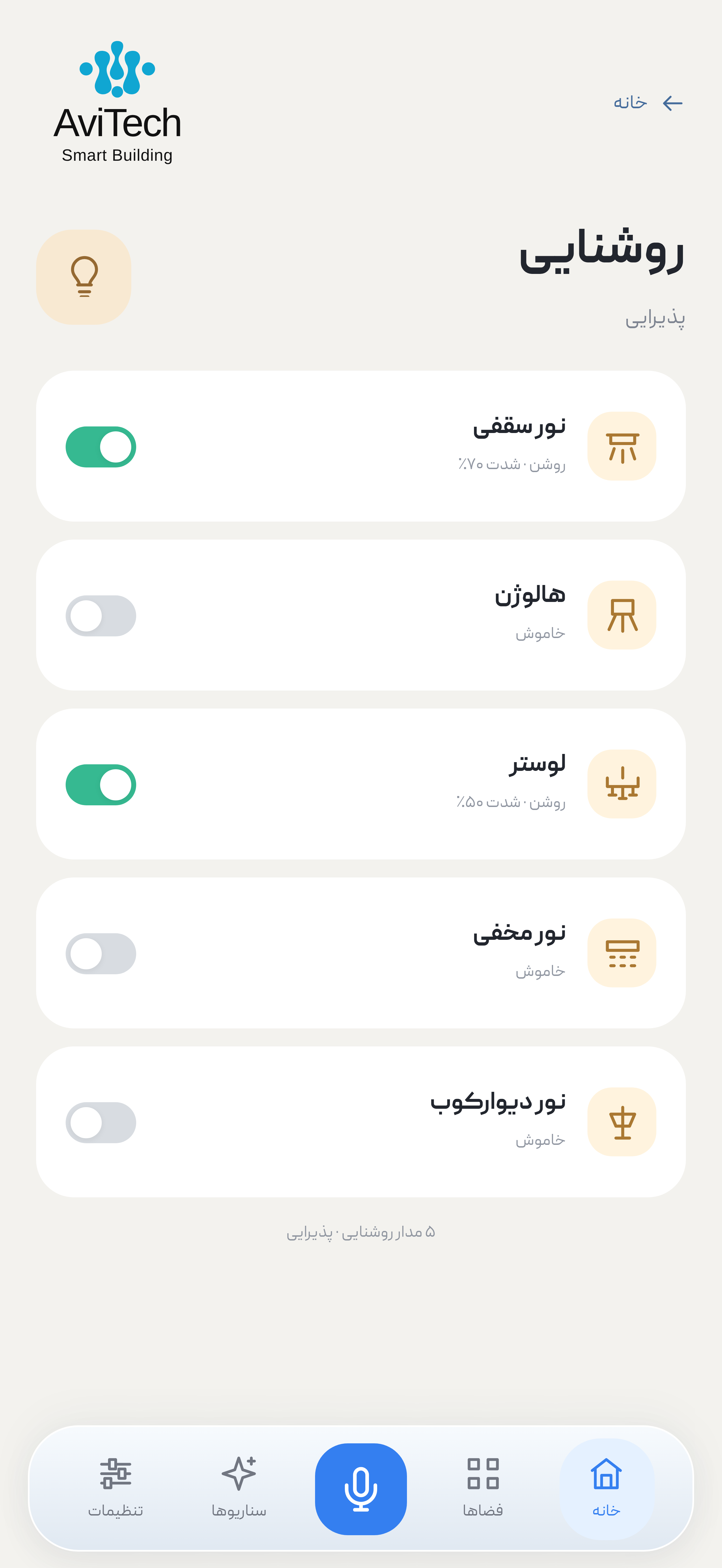
Control ceiling lights, spots, chandeliers, cove lights and wall lights individually.
Ceiling lights · Spots · Chandeliers
Cove lights · Wall lights
Comfort, room by room.
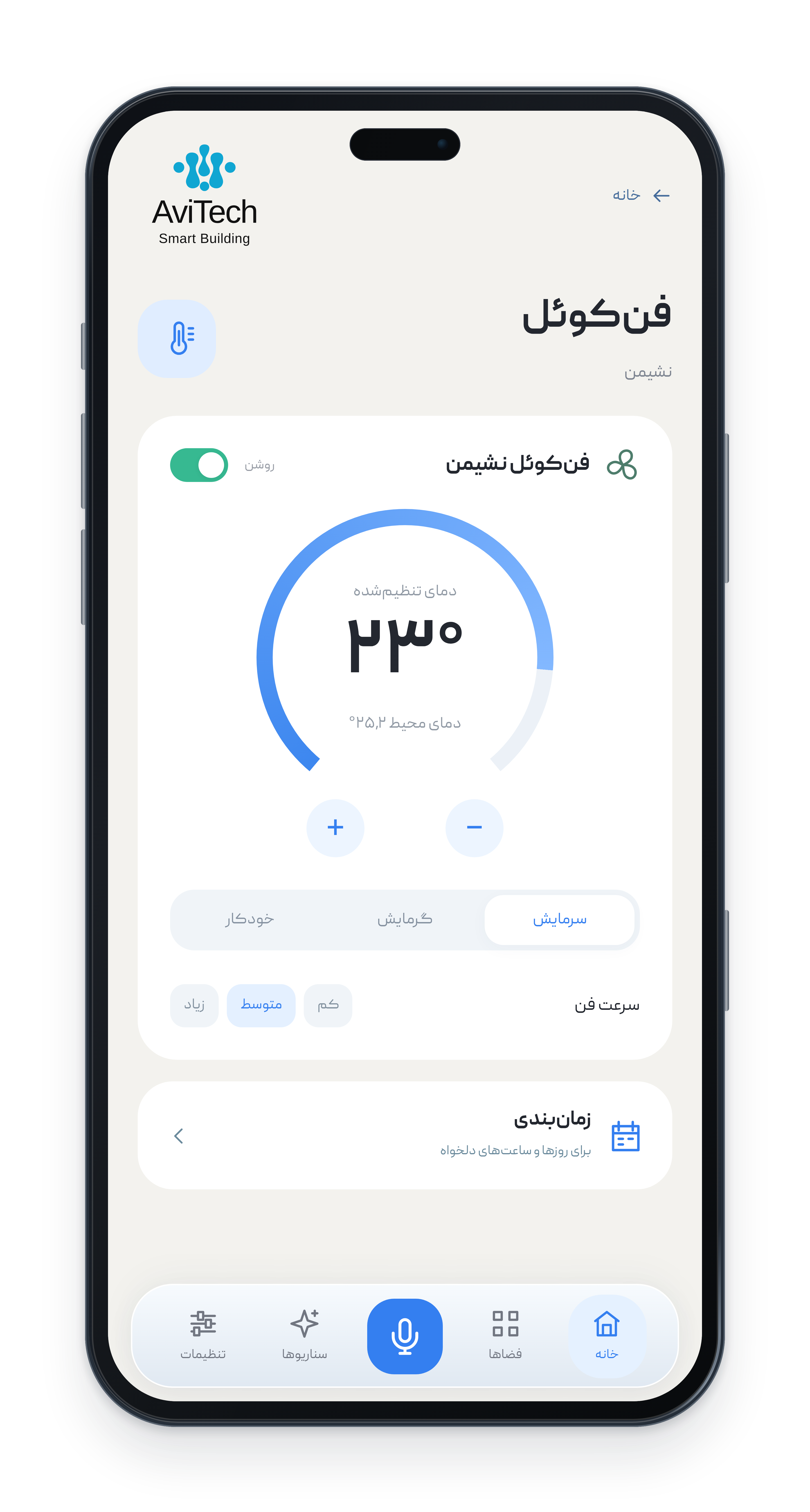
Choose the setpoint, operating mode and fan speed for each room.
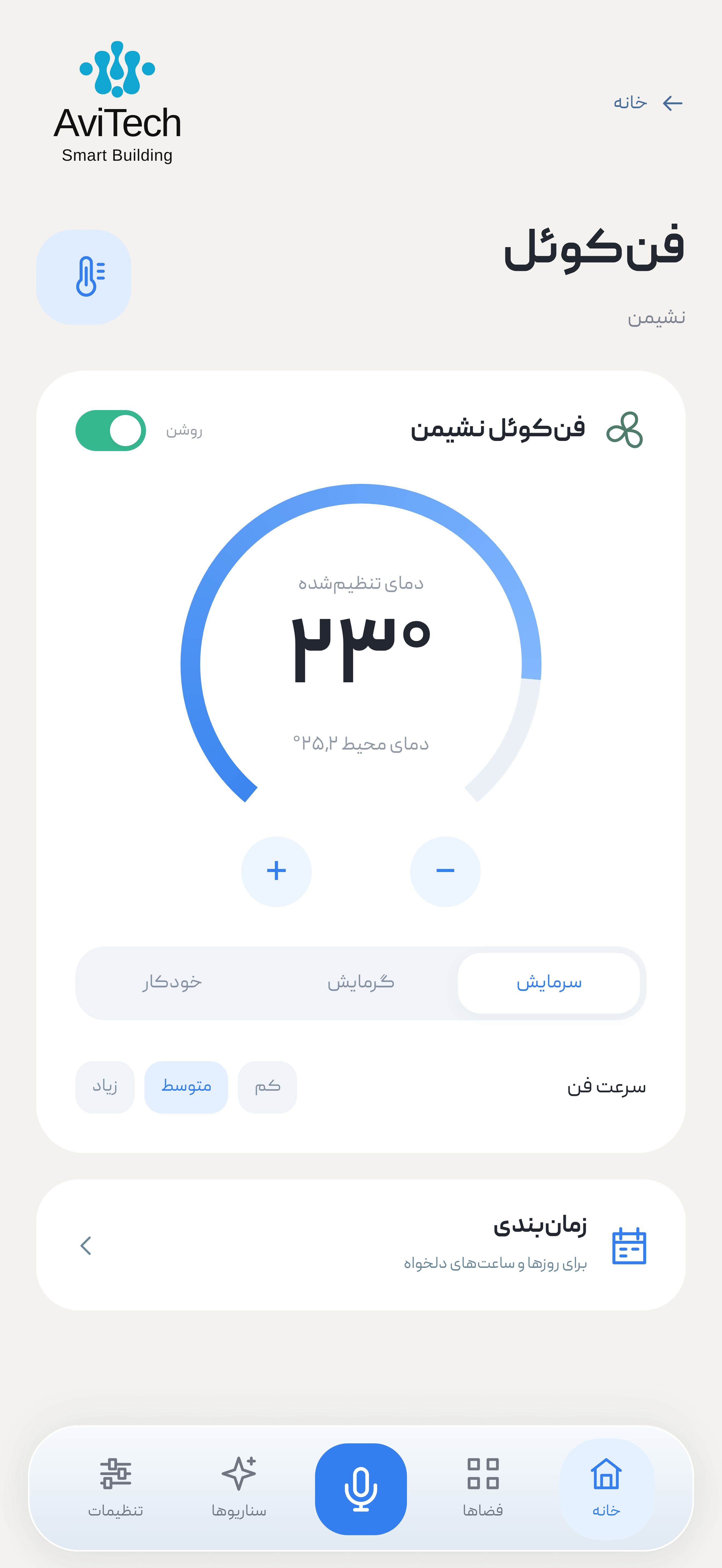
Living room setpoint
Cooling, heating and fan speedLet the daylight in.
Open, close, stop or set a supported shade to your preferred position.
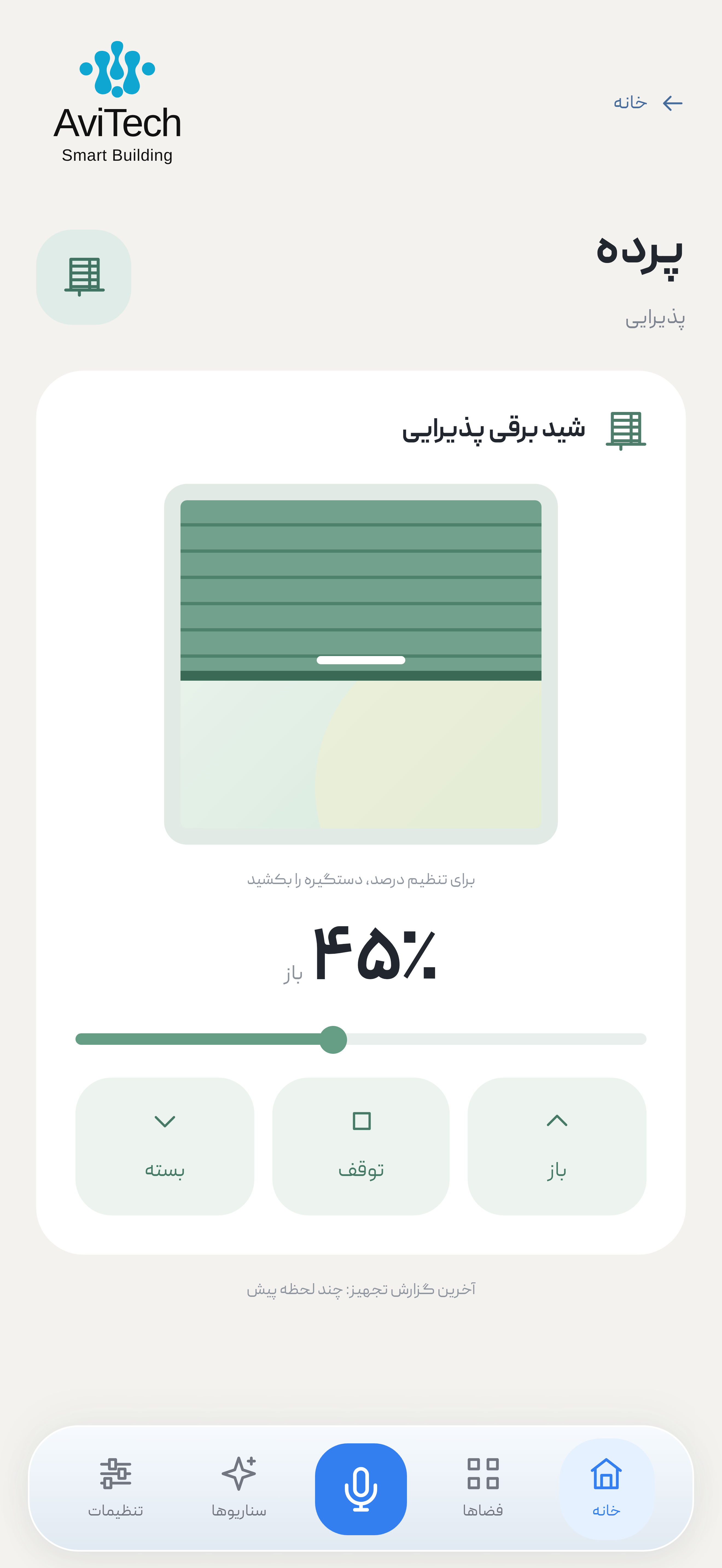
Reception shade opening
Fine-tune the daylightOne scene. A different mood.
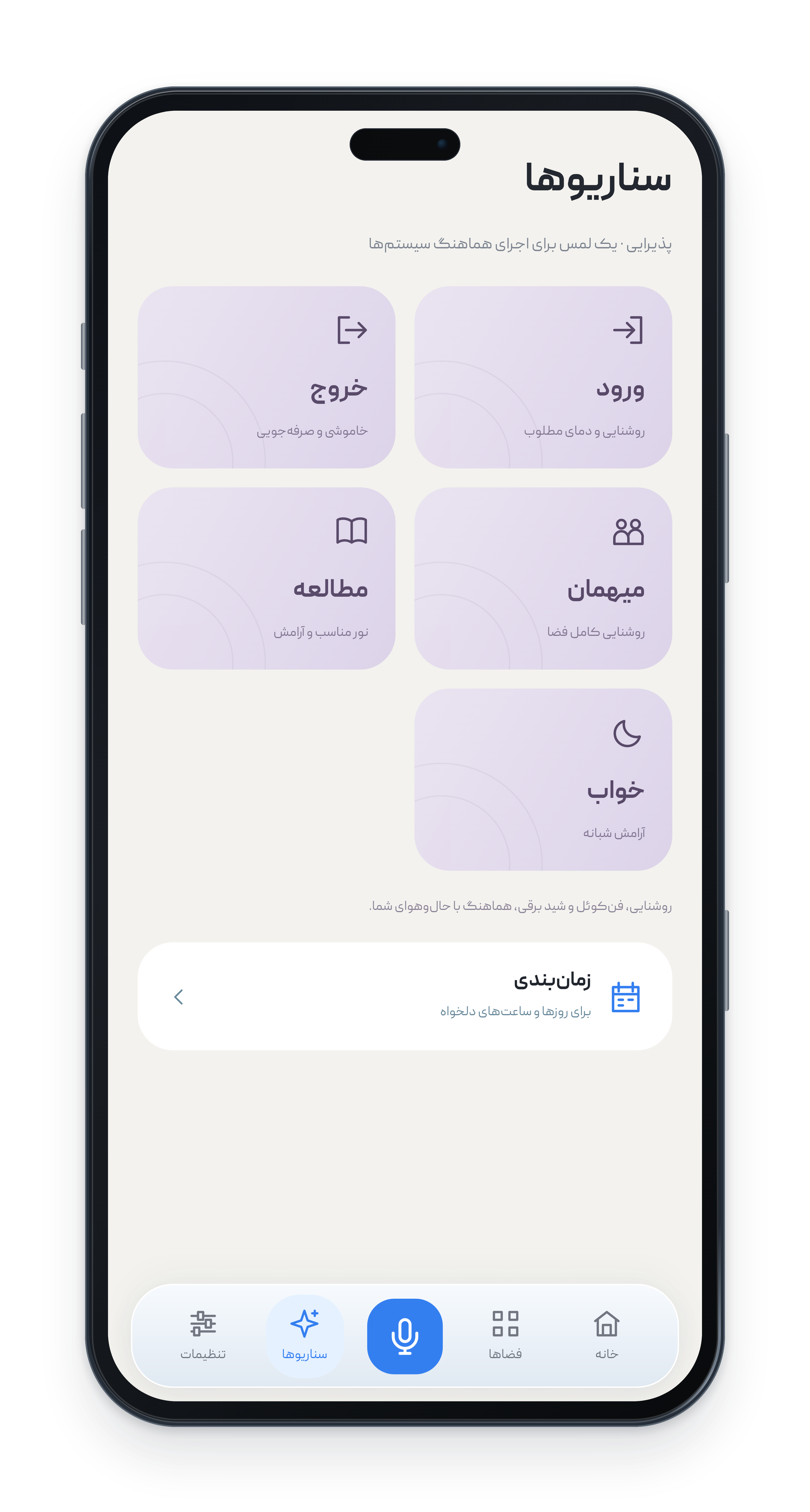
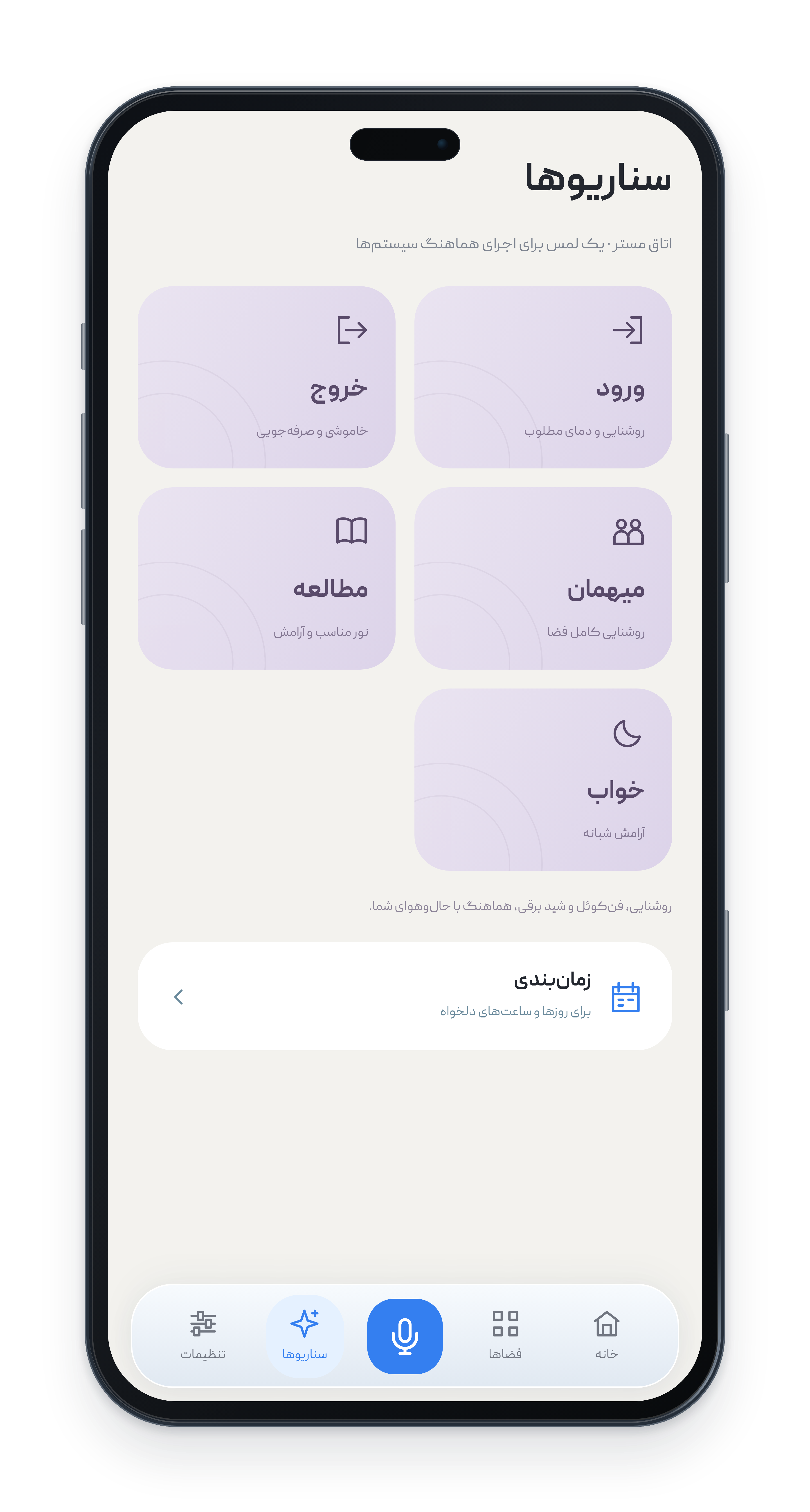
Bring lighting, climate and blinds together in coordinated scenes.
Scheduling that fits your life.
Control devices and run scenes with an advanced Jalali calendar.
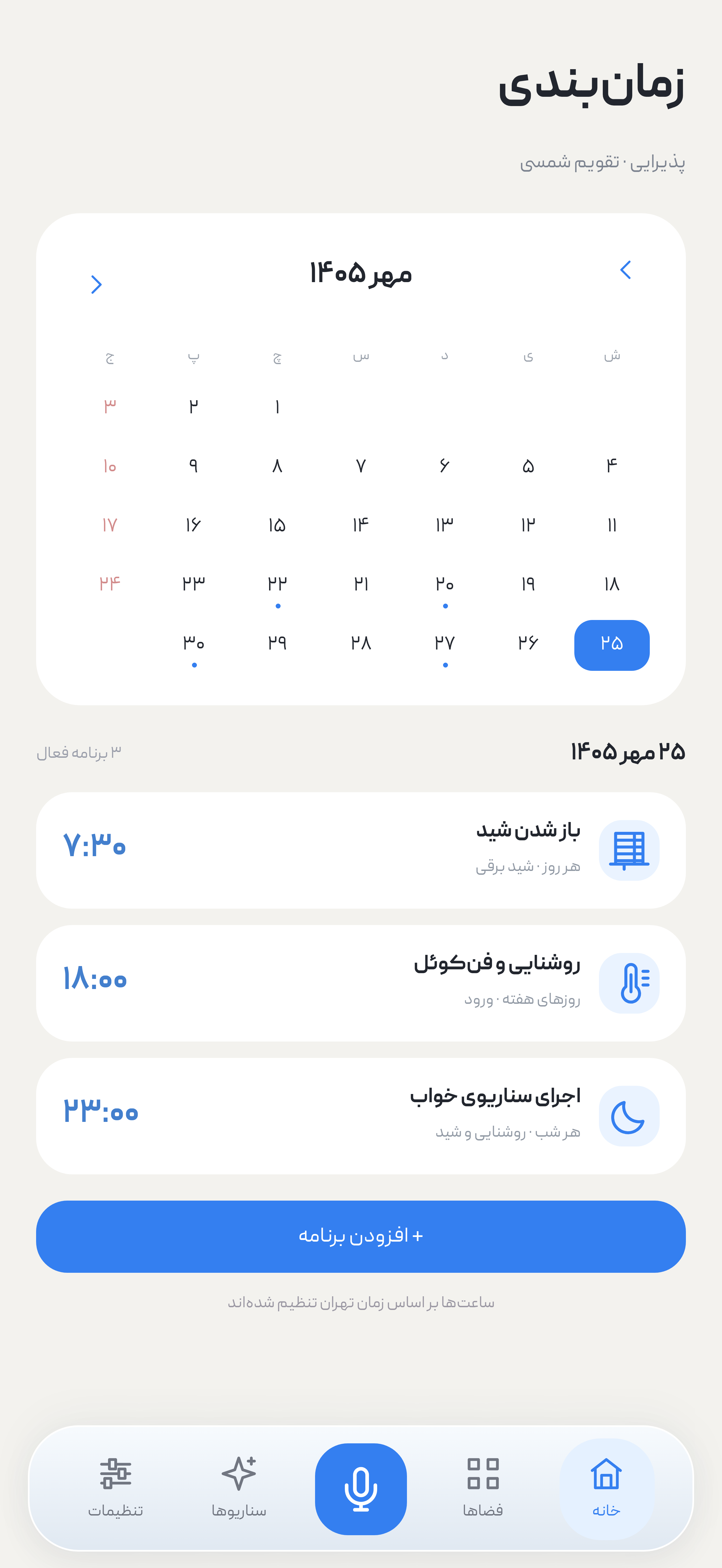
Morning: open the blinds.
Night: run the sleep scene.
AviTech App
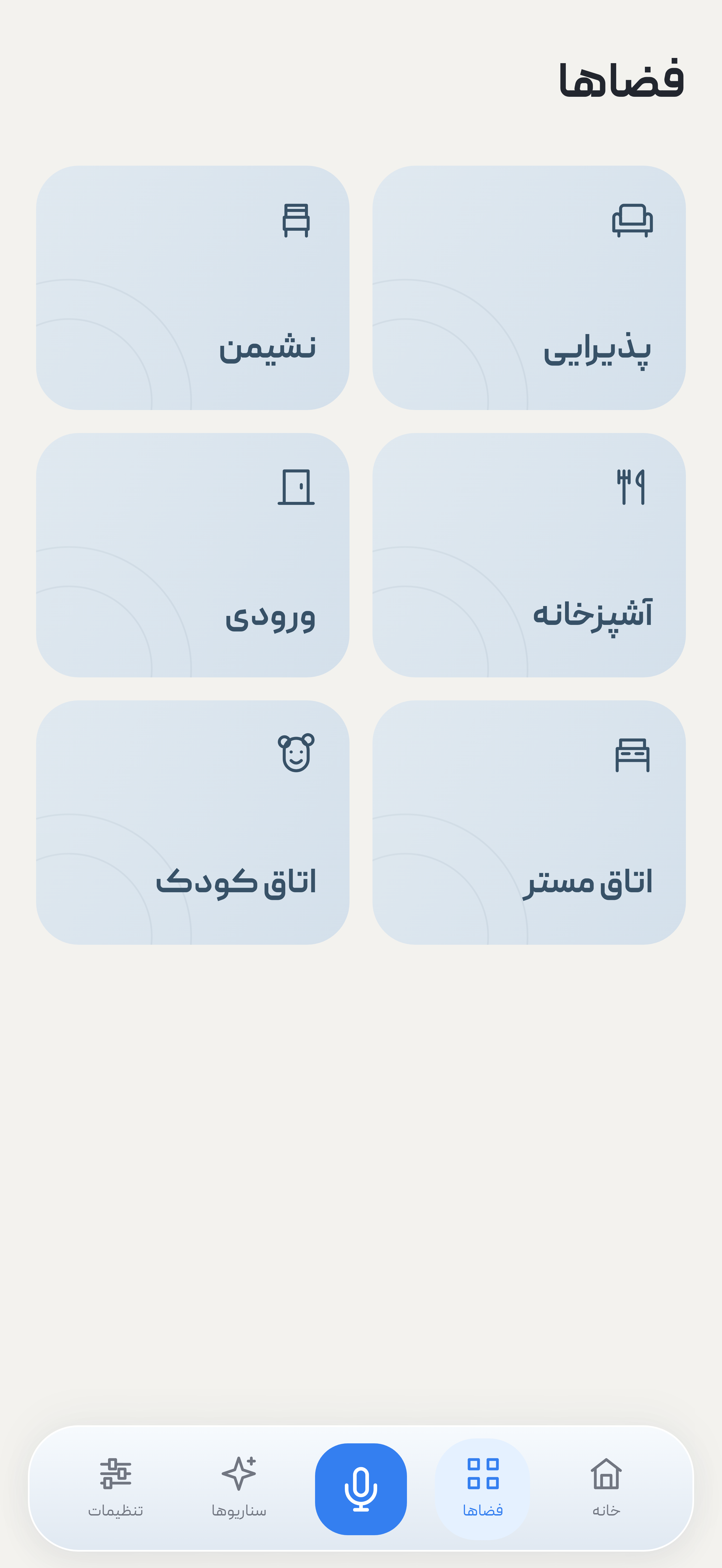
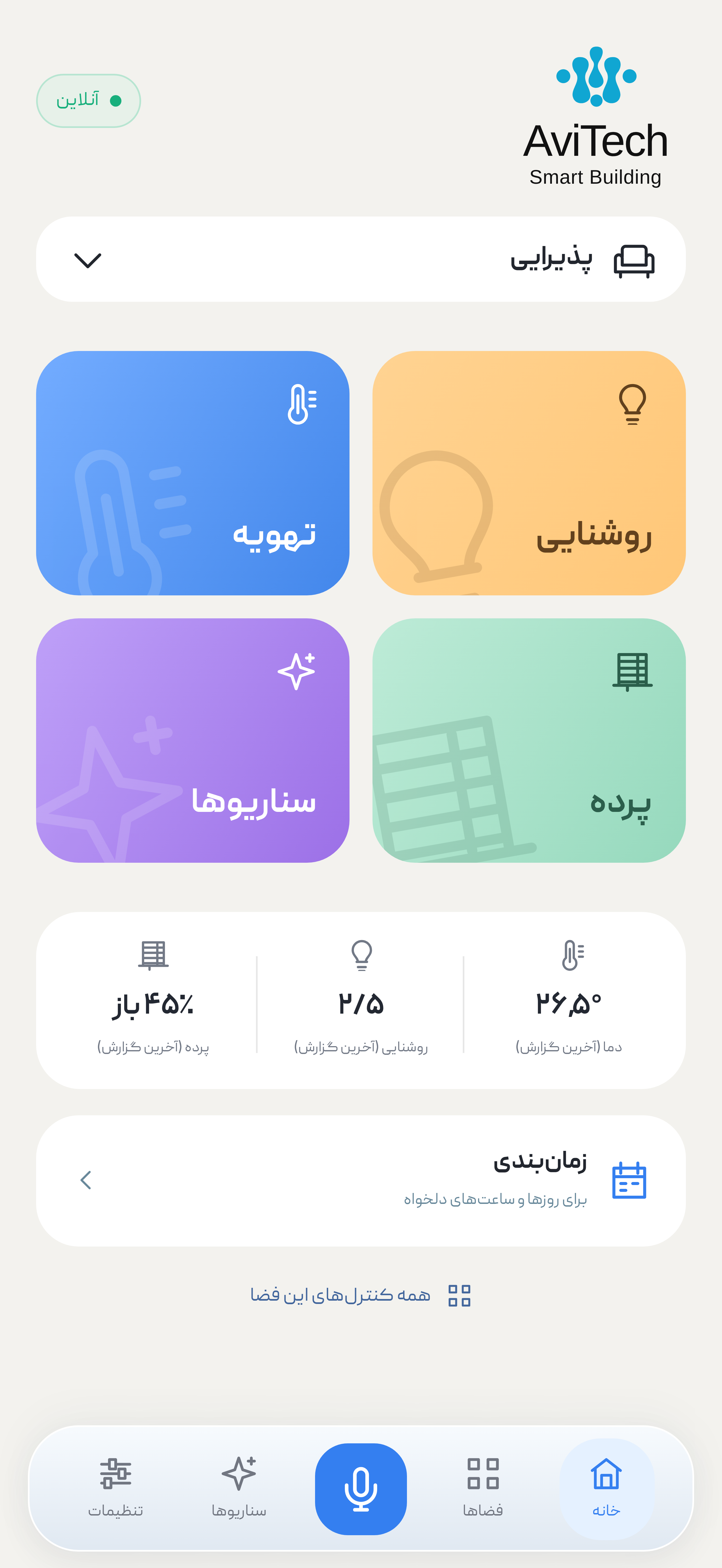
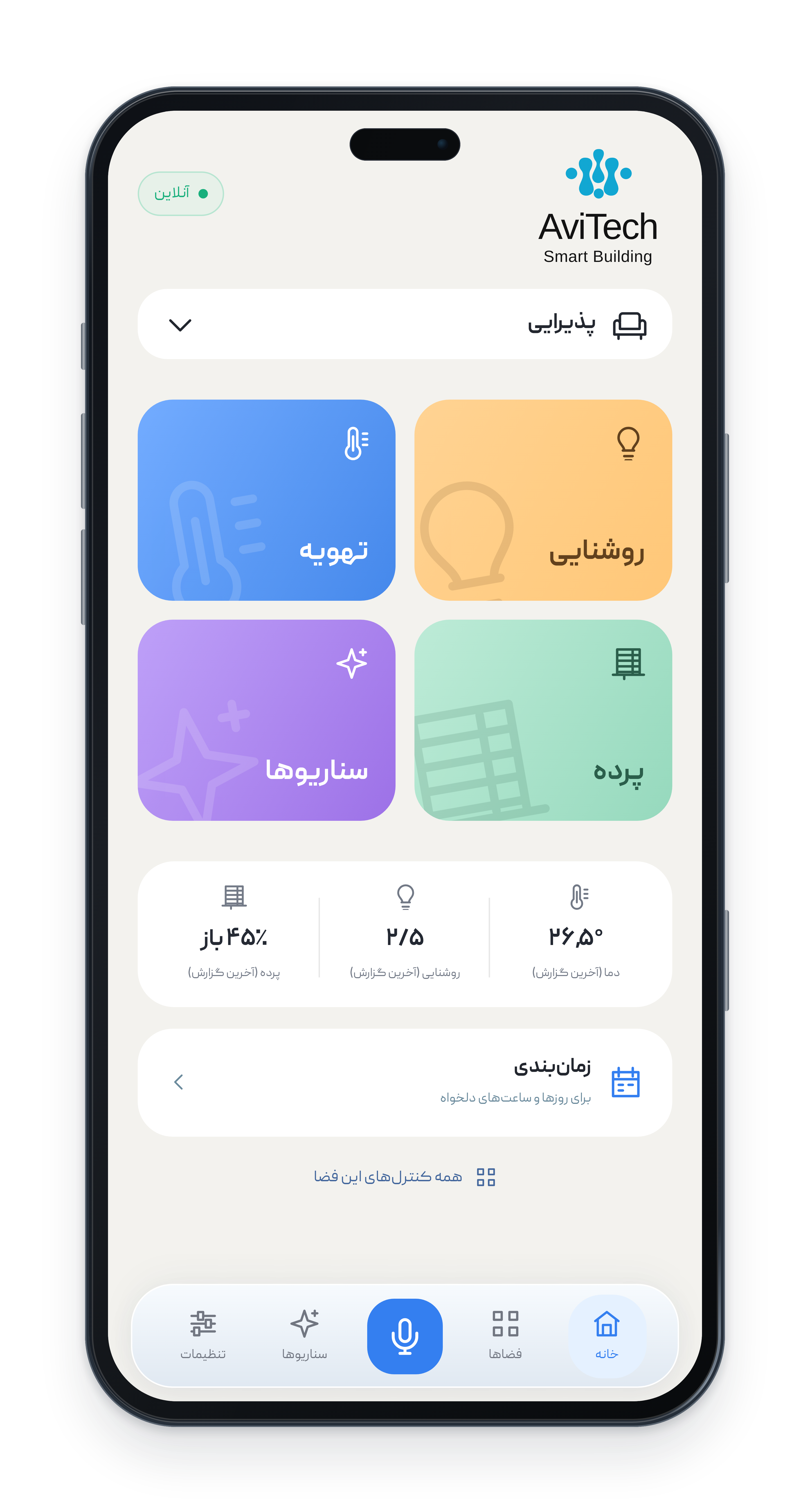
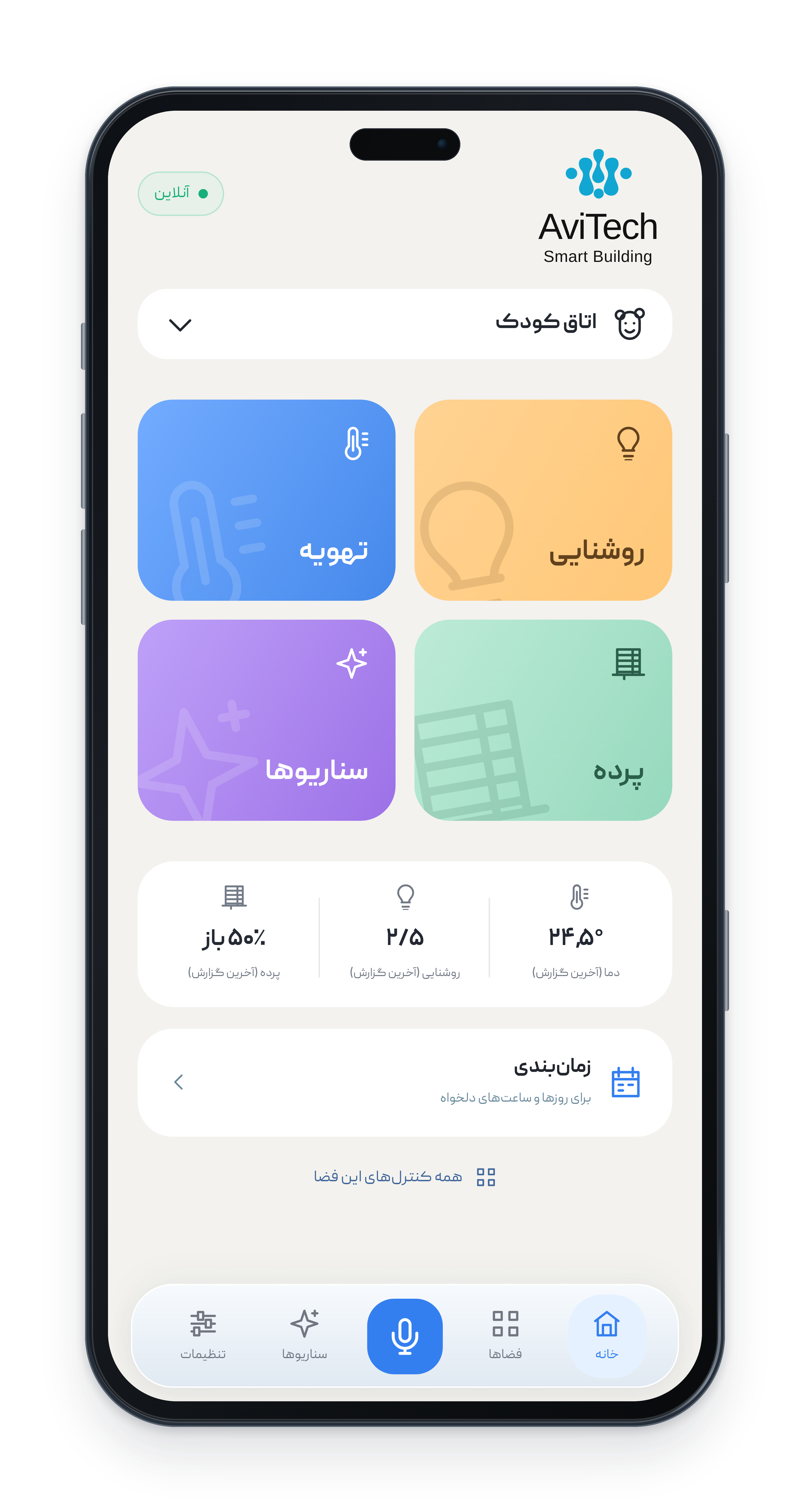
Every space has its own controls. Manage the reception, living room, kitchen, entrance, main bedroom and children's room separately. Each space brings its lighting, climate, blinds, scenes and reported status together on one page.
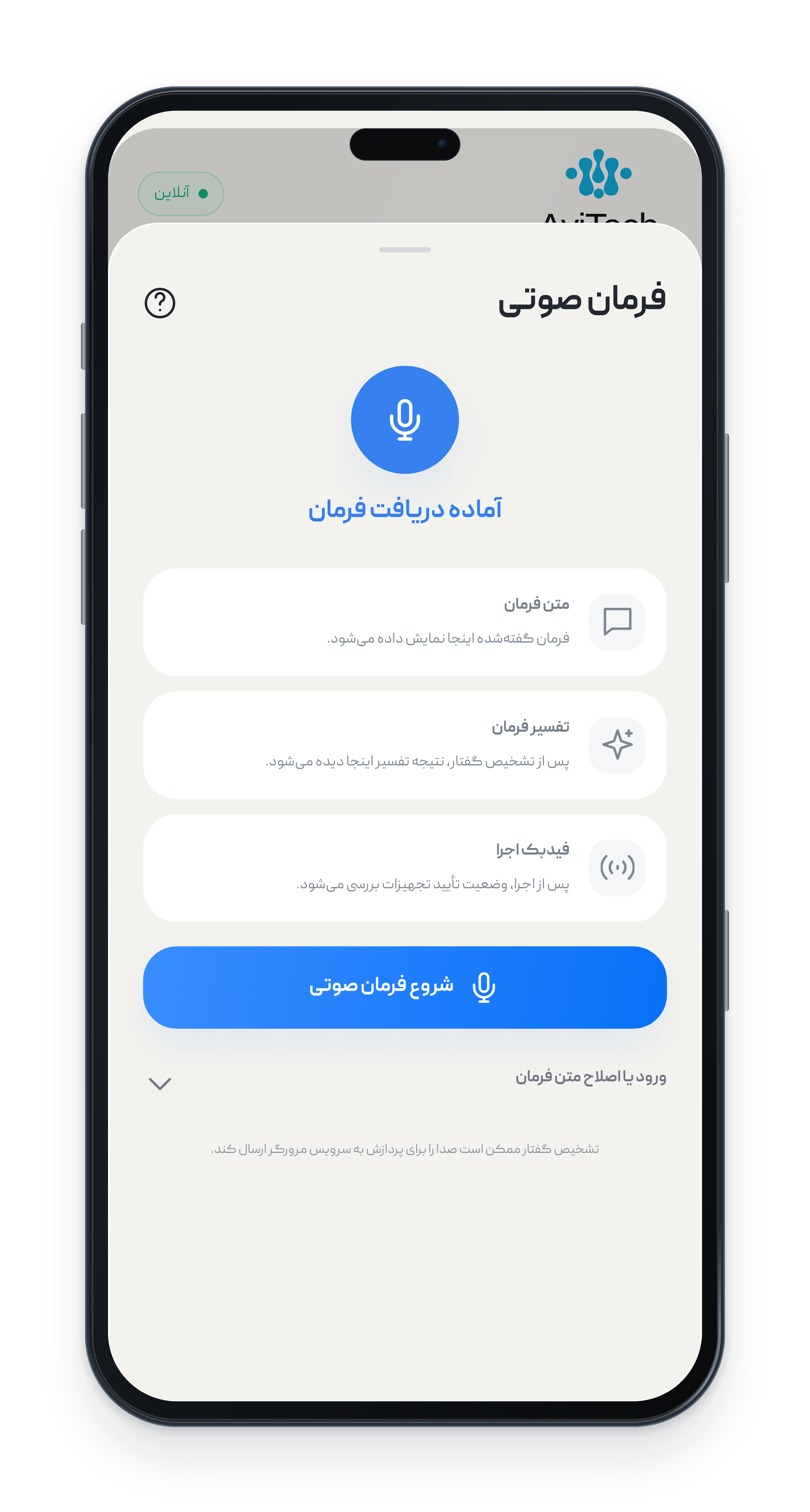
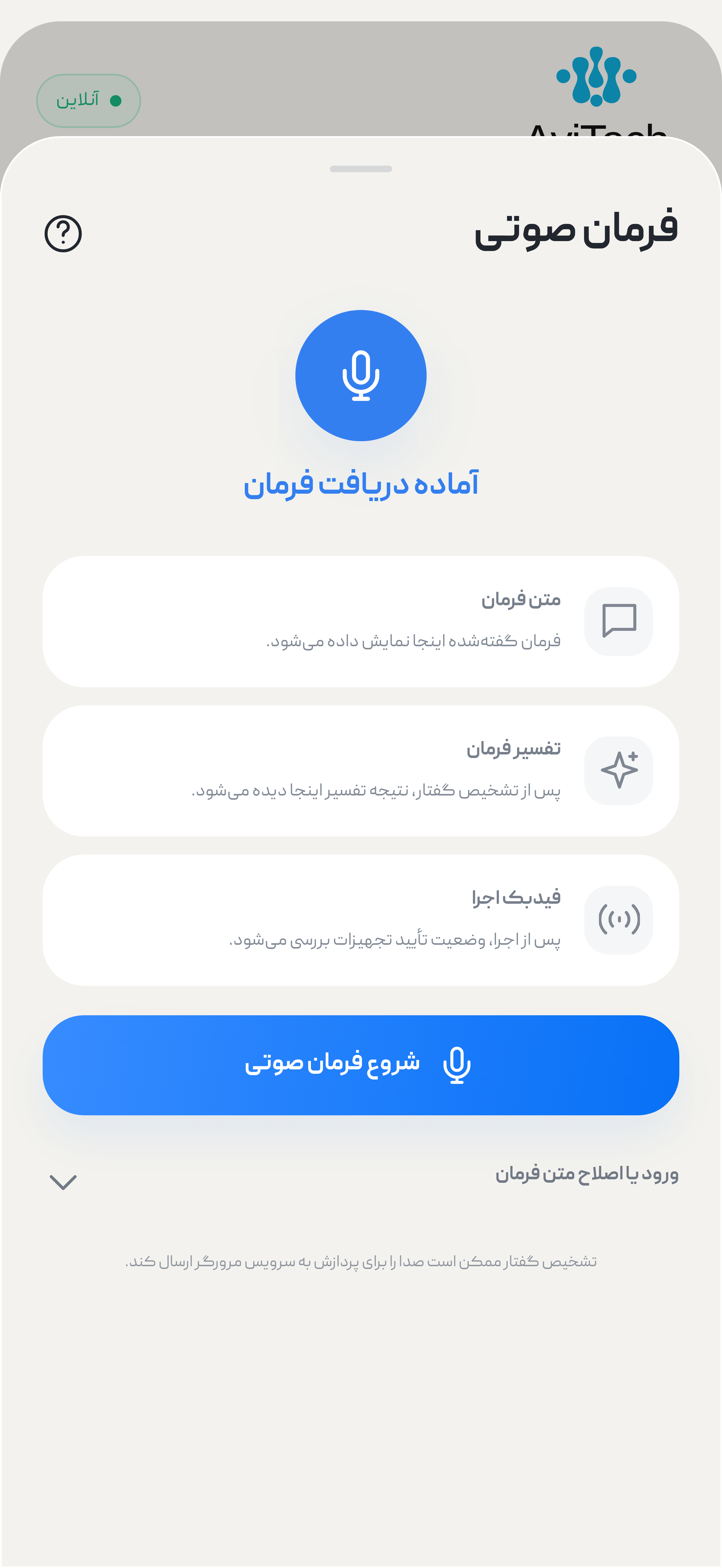
Speak to your home in Persian. With AI-assisted interpretation, combine several requests in a sentence, refine them in a conversation or ask for system status. For example, say in Persian: “Dim the reception lights and close the blinds,” followed by “Apply the same settings to the main bedroom.”
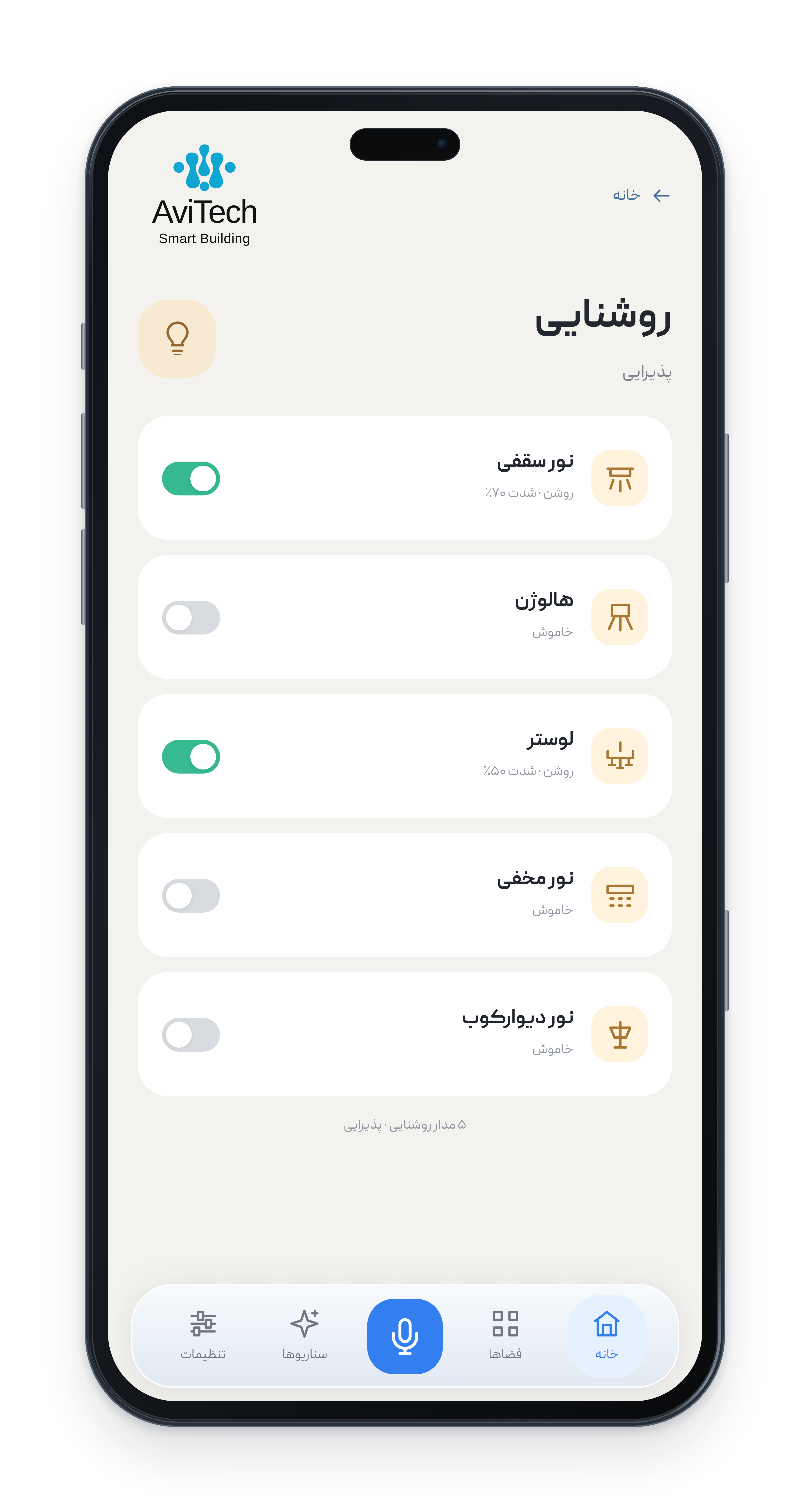
Five lighting types. Individual control. Control ceiling lights, spots, chandeliers, cove lights and wall lights from one page. See each circuit's reported state and coordinate lighting through Persian voice commands, scenes or schedules.
Your room. Your comfort settings. See measured temperature and setpoint separately. Choose supported cooling, heating or automatic modes and fan speeds. Coordinate room settings through scenes, Persian commands or schedules.
Daylight, just the way you like it. Set the opening percentage on supported shades, fully open or close them, or stop movement. Include blinds in a compound Persian command, a scene or a Jalali calendar schedule.
One choice. Several coordinated settings. Coordinate lighting, climate and blinds for arrival, departure, guests, reading or sleep. Run saved scenes from a room page, with Persian voice commands or through scheduling.
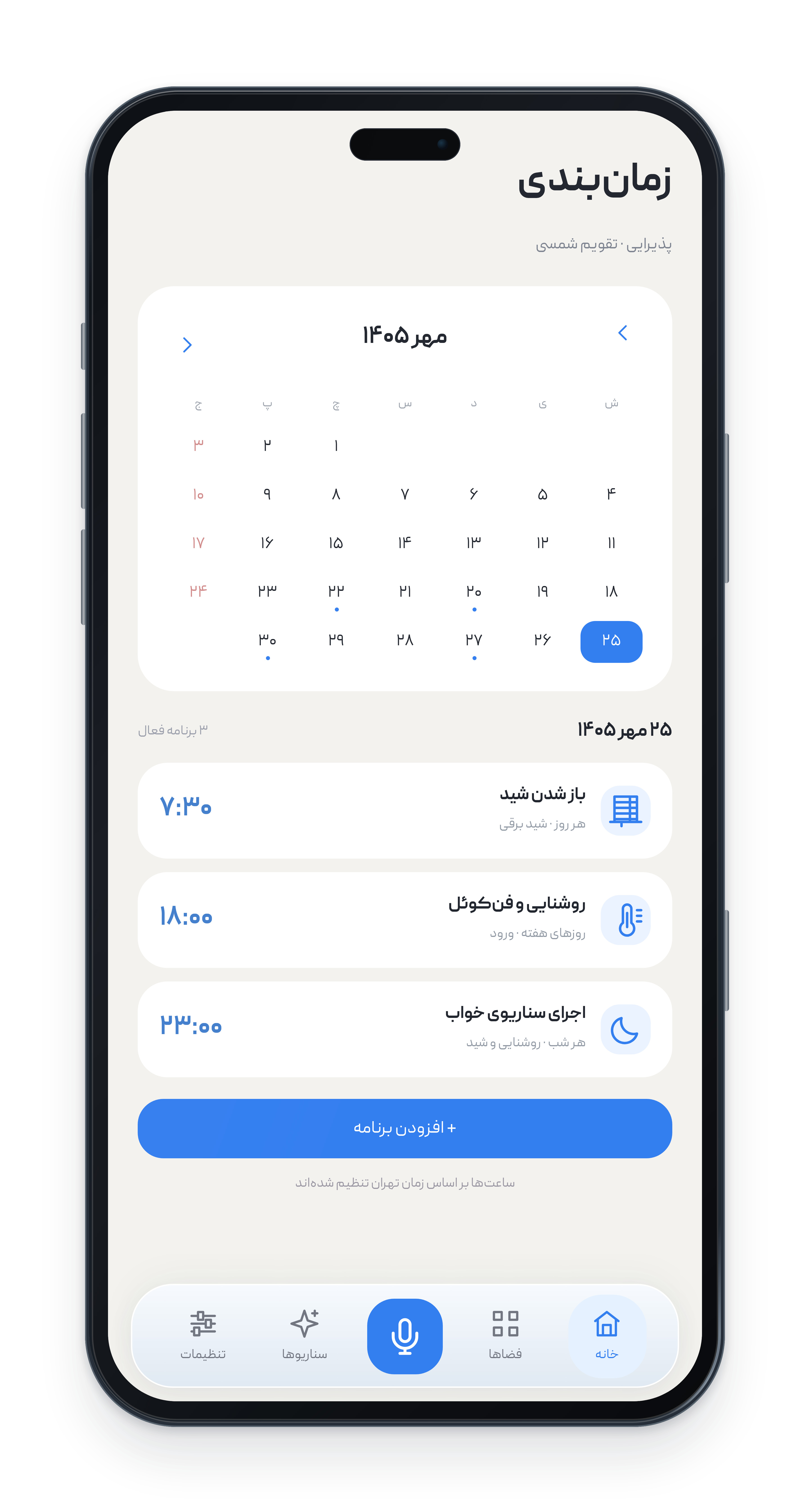
Your home, on your schedule. Choose a date and time in the Jalali calendar, review each day's plans and schedule lighting, fan coils, motorised shades and scenes—from opening blinds in the morning to running a sleep scene at night.
Interactive feature preview using sample data.
Smart living,
throughout your home.
AviTech App is a Persian-language KNX smart home control app. It brings lighting, fan coils and blinds together with Persian voice control, AI-assisted interpretation and an advanced Jalali calendarto fit the way you live.
Developed in Iran, with direct support
Built for
life in Iran.
Developed around local project needs, shaped by user feedback,
and supported directly by the AviTech team.
Development close to your needs.
Direct development in Iran supports project customisation and a closer feedback loop with users.
Local control, with the right setup.
With suitable local infrastructure, device control and essential schedules can continue within the building, even during an internet outage.
Designed for Iran's internet conditions.
Domestic infrastructure and alternative communication paths reduce the dependence of core controls on international connectivity. Features relying on external AI services may be limited during disruptions.
Every space.
Its own experience.
From reception to the children's room, every space has its own page.
Find its controls and latest reported status together.
Swipe the phones to explore more spaces.Tap a phone to see the complete screen.
Persian voice control, assisted by AI
Say it in Persian.
Let your home respond.
Make a request, continue a conversation or draft a schedule in Persian.
If a room name or request is unclear, the app asks for clarification. Sensitive commands require confirmation.
One sentence for several controls.
“Dim the reception lights and close the blinds.”
Request lighting and blind adjustments together. AI-assisted interpretation can identify multiple parts of a Persian command and map them to device controls. The example above is an English translation.
Continue where you left off.
“Apply the same settings to the main bedroom.”
Complete or refine your previous request in the same conversation. Change the target room, for example, without repeating all the settings. Examples are translations of Persian commands.
Ask for an update.
“Which reception lights are on?”
Ask in Persian about lighting, room temperature or shade position. A status request reports information; it does not change device settings.
Schedule in everyday language.
“Turn the garden lights on half an hour after sunset, every night.”
Describe the timing in Persian. The app turns it into a draft schedule so you can review the days, time and details before saving. The example above is an English translation.
Interactive conversation preview using sample data.
From arriving home
to winding down at night.
You don't need to set everything again for familiar routines.
One scene coordinates several systems.
Arrive to your preferred settings.
Coordinate reception lighting, climate and blinds for arrival or guests. Run a saved scene with one tap or by saying its name in Persian.
Ready for sleep, in one step.
Keep coordinated reading and sleep settings, or let a schedule run your night scene.
Create. Name. Edit.
Build and edit scenes from your project's available devices and permitted commands, without programming. A movie scene could dim the lights, close the blinds and set a comfortable temperature.
Every system.
Its own precise controls.
Find the details on each system's page—from individual lighting circuits to fan-coil temperature and shade position—with clear Persian names and icons.
Lighting, circuit by circuit.
Control ceiling lights, spots, chandeliers, cove lights and wall lights individually or as a group. Adjust brightness on circuits with dimmers, manually, by voice, with schedules or as part of a scene.
Comfort for every room.
See room temperature and setpoint separately. Adjust power, mode and fan speed according to the devices installed in each space.
Daylight,
in just the right amount.
Open, close or stop blinds and shades.
Adjust the opening percentage on devices that support positioning.
Schedule your home systems
Your home's plans.
Your Jalali calendar.
Choose dates and times in the advanced Jalali calendar.
Review daily plans and schedule device controls and scenes. Scheduling based on prayer times for the project's city is also available.
In step with local prayer times.
Schedule outdoor lights around Maghrib or a pre-dawn scene with an offset before or after the event. The schedule follows the daily changes in prayer times.
Jalali dates, weekdays and date ranges.
Choose a Jalali date, weekdays and a time range. Limit a schedule to a particular period of the year.
Follow sunrise and sunset.
Coordinate facade lighting, garden lights and blinds with daylight, reducing the need to keep changing fixed times across seasons.
Repeat, with exceptions.
Set daily, weekly or selected-day repeats, and exclude holidays or specific dates.
Blinds, ready for a new day.
Illustrative morning shade opening.
Home, ready for sleep.
Illustrative night-scene schedule.
Illustrative calendar; no schedules are saved to real devices.
Your whole home.
Working together.
Manage lighting, fan coils, blinds and scenes in one Persian-language app,
through room pages, Persian voice commands or the Jalali calendar.
Compatible KNX devices, brought together
Different brands. One Persian interface.
Manage compatible devices from different brands in a KNX building, according to each device's capabilities. Control them directly, through scenes or on a schedule.
Choose a space.
Each room has its own controls and status—from the entrance and kitchen to the main and children's bedrooms.
Run a scene.
Arrival, departure, guests, reading or sleep: several coordinated settings, one choice.
Choose a time.
Select a Jalali date and execution time, and review each day's plans together.
Clear controls.
Visible status.
Know which space and system you are controlling before each action.
Familiar names, in Persian.
Clearly named spaces, lighting circuits and systems help you find the control you need.
Status beside the control.
Where device feedback is available, see reported states and command results. Review lighting, temperature and shade positions, or ask for status in Persian.
Plans in one calendar.
See Jalali dates, execution times and daily plans together, and keep your home's schedules organised.
A history you can follow.
Review command and event times, users and results. See whether a change was manual, voice-triggered or scheduled.
AviTech web app
On your preferred screen.
For your projects.
Access your authorised account from a phone, tablet or computer,
without having to download an app from a foreign app store.
Every building.
Its own project data.
Manage several buildings in one account while keeping each project's devices, users and information separate. Useful for multi-property owners and installation or support teams.
Familiar names, a Persian interface and voice control make daily use easier for families, children and older adults.
AviTech App
Explore the app screens and discover the ways to control your home—from Persian voice requests to Jalali scheduling.
Have a question?
Find your answer.
Which systems can AviTech App control?
AviTech App brings lighting, fan coils, motorised shades, scenes and scheduling together. Each space has its own page with controls and the latest reported status. Available functions depend on compatible devices and project configuration.
What is a compound Persian voice command?
It combines several requests in one sentence. An English translation is “Dim the reception lights and close the blinds.” AI-assisted interpretation identifies the different parts of the Persian request.
How is an interactive request different from a standalone command?
An interactive request continues the conversation and refines a previous instruction. For example, you can ask in Persian to apply the same settings to the main bedroom without repeating every setting.
Can I ask for system status in Persian?
Yes. Ask about lighting, room temperature or shade position. A status question reports information rather than changing settings. For example, you can ask in Persian which reception lights are on. Reported information depends on available device feedback.
What can I schedule with the Jalali calendar?
Schedule lighting, fan coils, shades and scenes for your chosen dates and times. The Jalali calendar combines date selection with a view of each day's plans.
Which spaces and scenes are shown in the demo?
The demo includes the reception, living room, kitchen, entrance, main bedroom and children's room. Illustrative scenes include arrival, departure, guests, reading and sleep.
Which lighting circuits are shown in the app?
The lighting page shows ceiling lights, spots, chandeliers, cove lights and wall lights. Each circuit has its own name and status and can be selected independently. Actual circuits depend on the project.
Is this preview connected to real devices or a microphone?
No. The screens, Persian responses and movements use sample data. The demo does not record audio, send requests to AI services or run commands or schedules on real building devices.
Can building control continue during an internet outage?
With suitable local infrastructure, device control and essential schedules can continue within the building. Domestic infrastructure reduces the dependence of core controls on international connectivity. Features relying on external AI services may be limited during disruptions.
Can I create and edit my own scenes?
Yes. Build, name and edit scenes from your project's permitted devices and commands, without programming. Run saved scenes with a tap or by saying their names in Persian.
Can I describe a schedule in Persian?
Yes. For example, ask in Persian to turn garden lights on half an hour after sunset every night. Review the draft before saving. Current scheduling includes Jalali dates, weekdays, date ranges, prayer times, sunrise, sunset and calendar exceptions.
Which devices and how many projects can use the AviTech web app?
Access the web app from compatible browsers on phones, tablets and computers, reducing reliance on foreign app stores. A user or partner company can manage several projects in one account, with separate project information, devices and users.
The features below are planned and are not yet operational
Future development
The next steps for AviTech App: a broader building-management experience. These features are planned, not currently available.
Intelligence & automation
Delayed command execution
Plan a one-off command for later, such as switching climate control off in 20 minutes. This is not yet operational. Compound Persian commands are already a current feature.
Conditional scenes & automation
Planned automation based on sensors, time, presence or combinations of conditions—for example, turning a corridor light on only when motion is detected and ambient light is low.
Smart suggestions
Planned analysis of authorised usage data to suggest scenes, schedules or ways to reduce consumption. Activating a suggestion would require the user's choice and confirmation.
Access & personal experience
Personalisation for family members
Planned individual spaces, frequently used scenes and preferred settings according to each family member's permissions.
User accounts & access levels
Planned permissions for projects, spaces, devices and features, including possible temporary access for family, guests, tenants, staff or service teams.
Owner & tenant management
Planned access revocation and reassignment when occupants change, helping owners manage property handovers.
Monitoring, integration & service
Event alerts & notifications
Planned alerts for compatible sensors and connections, such as water leaks, doors left open, unusual temperatures or disconnected devices, with configurable recipients and permitted actions.
Energy monitoring
Planned consumption views for projects with metering equipment. Period comparisons and unusual-use detection could help improve lighting and climate schedules.
Integration with other building systems
Planned connections through compatible interfaces to systems such as air purifiers, smart locks and cameras. Available functions would depend on each system's interfaces and permissions.
Service & maintenance reminders
Planned reminders for filter changes, inspections or equipment checks, based on dates, operating hours or available device data.
Support requests & remote diagnostics
Planned in-app issue reporting with relevant information and authorised, limited access to equipment status and logs to help the support team assess problems.
One app for your
Smart living, in your words.
Persian-language KNX smart home control.